Pool Usage
Note:
All Voice-related options and use cases are only applicable and available in case Voice Services are licensed on the CMP instance.
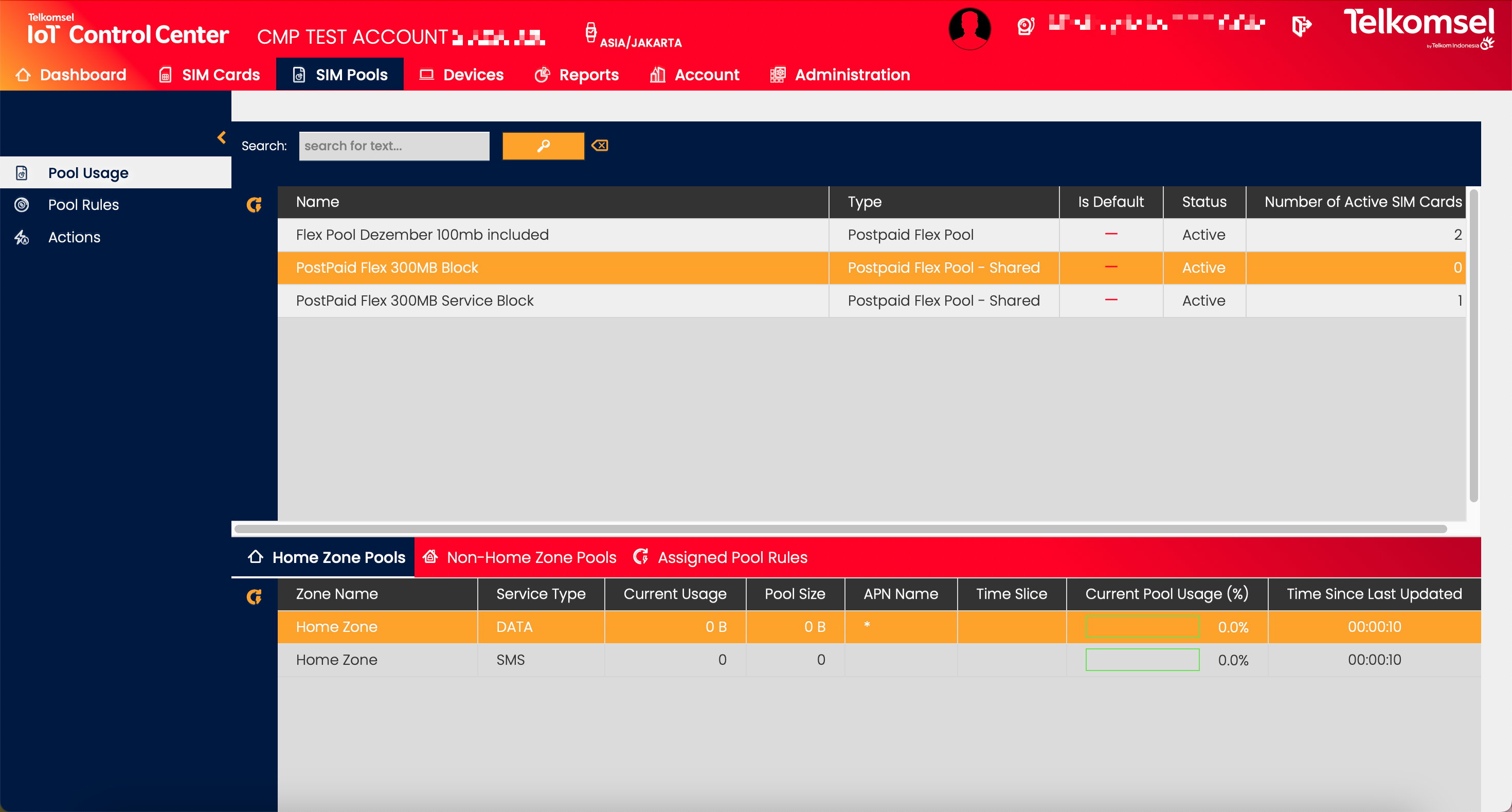
The Pool Usage submenu provides Enterprise Users visibility on the current status of the Pools for all active Pool Price Plans. Knowing the current status of all Pools allows Users to react in a timely manner to avoid overusage and undesirable costs by creating Pool related Rules or adding or removing SIMs manually to/from Pools.
View Price Plan Details
In order to understand the various cost items and create a high-level estimate based on the current or expected usage of the current Billing Cycle, Enterprise Account Users can look into the details of the Price Plans that have been assigned to their Account. To view the Price Plan Details, click on the name of the Price Plan.
The Price Plan Details view provides Users with an overview of the Price Plan as well as in-depth details on the allowances and rates specified in the selected Price Plan. All information displayed in this section is read-only.
Note that depending on the Price Plan's configuration, the set of tabs displayed in the Price Plan Details may differ (e.g. the Tiering tab is only displayed in case Tiering has been configured in the selected Price Plan).
For further information, please refer to the Price Plan Details section of the user manual.
Search for a Pool Price Plan
The search option of the Pool Usage module allows Users to retrieve a list of Pool Price Plans by entering text into the Search field.
The inserted search and filter criteria can be removed by clicking on the Clear search  icon.
icon.

Pool Usage Extended Details
Home Zone Pools
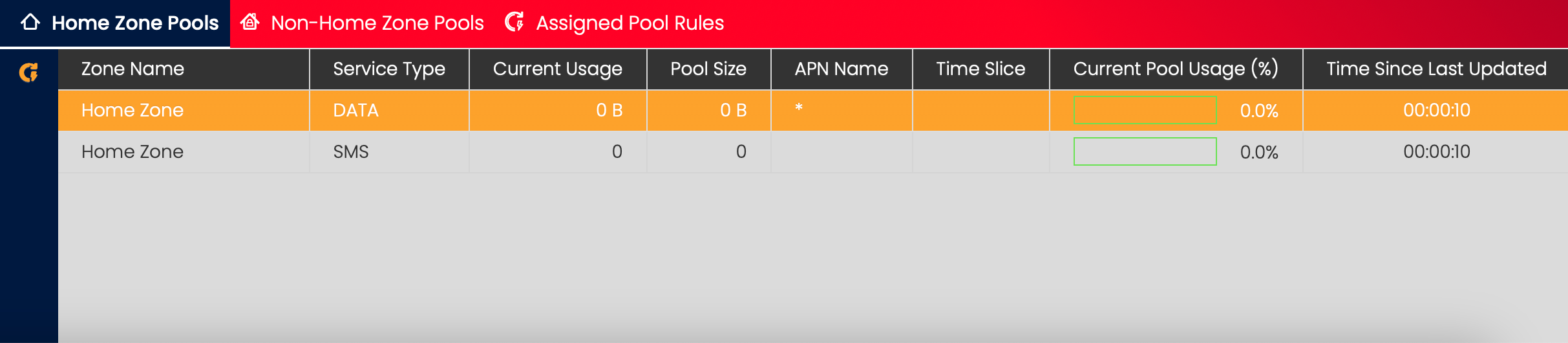
The Home Zone Pools section provides a list of all details of the Rating Groups (i.e. Pools) of the selected Pool Price Plan. The usage details are also displayed in chart form.
By clicking on the Assign Pool Rule for selected Price Plan and Service Type  icon Users can create Rules of the following types for the Price Plan:
- Pool Data Usage - Billing Cycle
- Pool SMS MO Usage - Billing Cycle
- Pool SMS MT Usage - Billing Cycle
- Pool Voice MO Usage - Billing Cycle
Note that the available Rule Type is determined by the Service Type selected and that the Rule assignment is only available for Home Zone Pools.
Non-Home Zone Pools
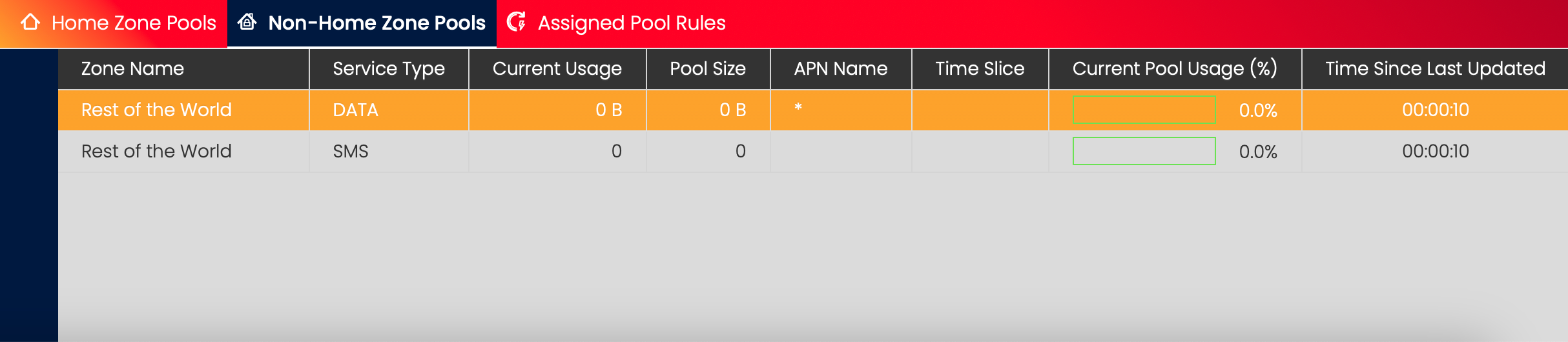
The Non-Home Zone Pools section provides a list of all details of the Rating Groups (i.e. Pools) of the selected Pool Price Plan. The usage details are also displayed in chart form.
Assigned Pool Rules
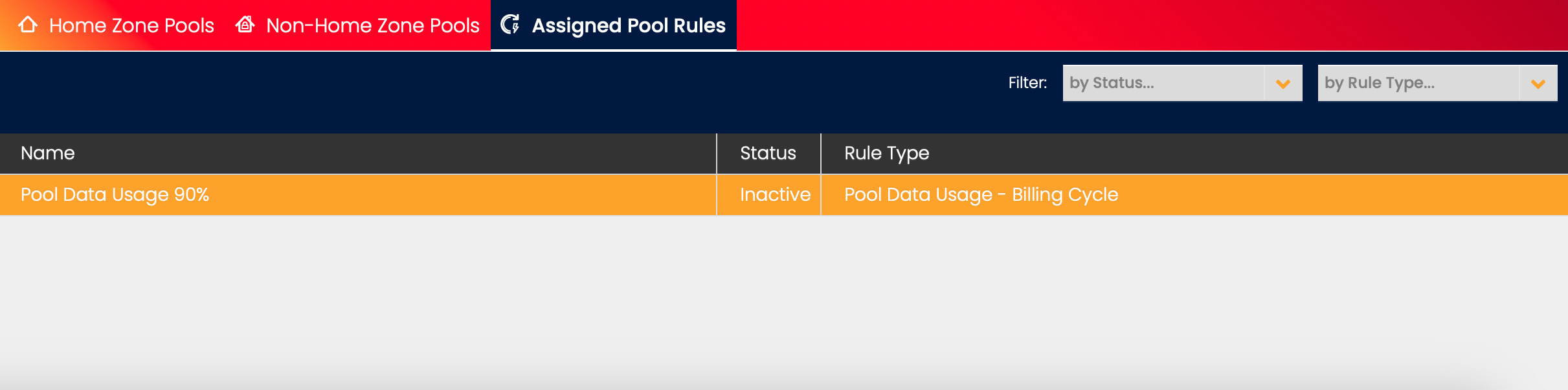
The Assigned Pool Rules plan lists all Pool related Rules assigned to the selected Pool Price Plan. The assigned Rules can be filtered by Status and Rule Type.
Each Rule link allows navigating to the related Rule entry in the Rules grid.